|
Instructional Bar |
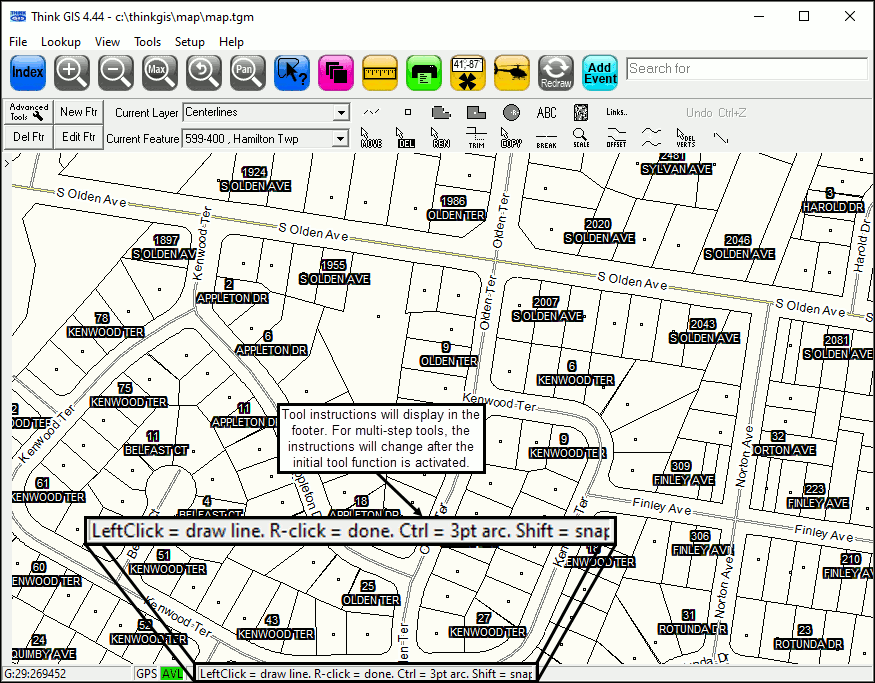
The instructional bar is used to display help hints to the user.
•Whenever a tool is activated, instructions on using that tool will display in the footer bar of the Think GIS window. In the example below, the Draw Line tool is active.
•When Think GIS detects that a user has updates available, the instruction bar at the bottom of the map will turn orange and display "UPDATES AVAILABLE: Click to Sync.".png)
See Synchronize Files for more information.
|
Copyright © 2026 WTH Technology |